ONC Site Feature
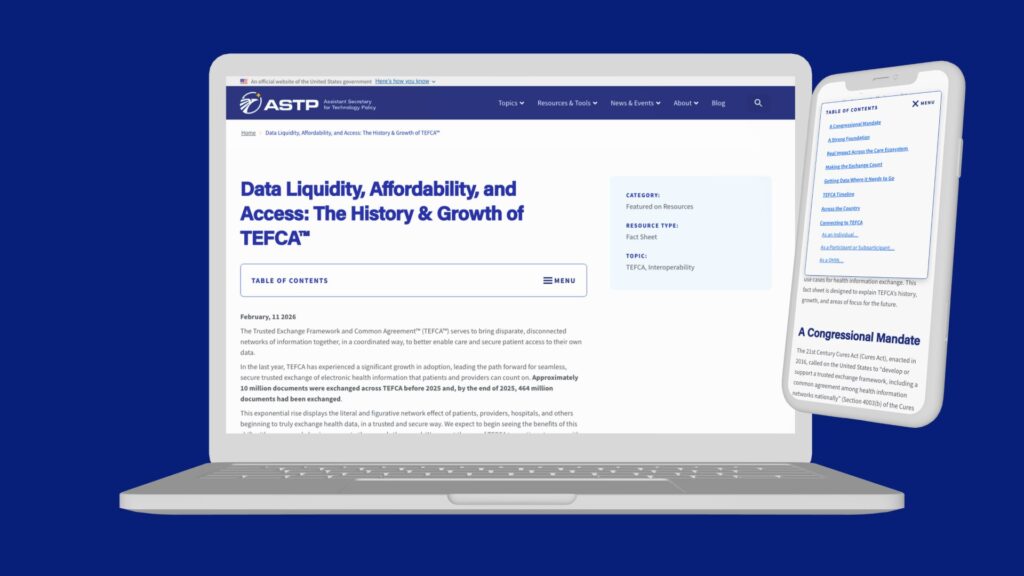
Resource Table of Contents
A scalable navigation solution for long-form content

The Problem
Too Many PDF Files.
The ONC website hosts thousands of PDFs—case studies, brochures, data briefs, courses, fact sheets, and more. Each file was required to meet Section 508 accessibility standards, typically aligned with WCAG 2.0 Level AA.
As a result, even small content updates required documents to be brought back into compliance, creating a time-intensive and repetitive maintenance process.
To reduce this overhead and improve the user experience, we explored shifting from static PDFs to accessible, live web content.
The Second Problem
Long Content Without Clear Navigation
Converting PDFs into web pages introduced a new challenge: preserving the ease of navigation that PDFs provided through built-in tables of contents. These helped users quickly understand the structure of a document and jump to relevant sections.
While the ONC site already included an “On this page” module that auto-populated H2 headings, it wasn’t designed to support deeper content hierarchies or longer documents.
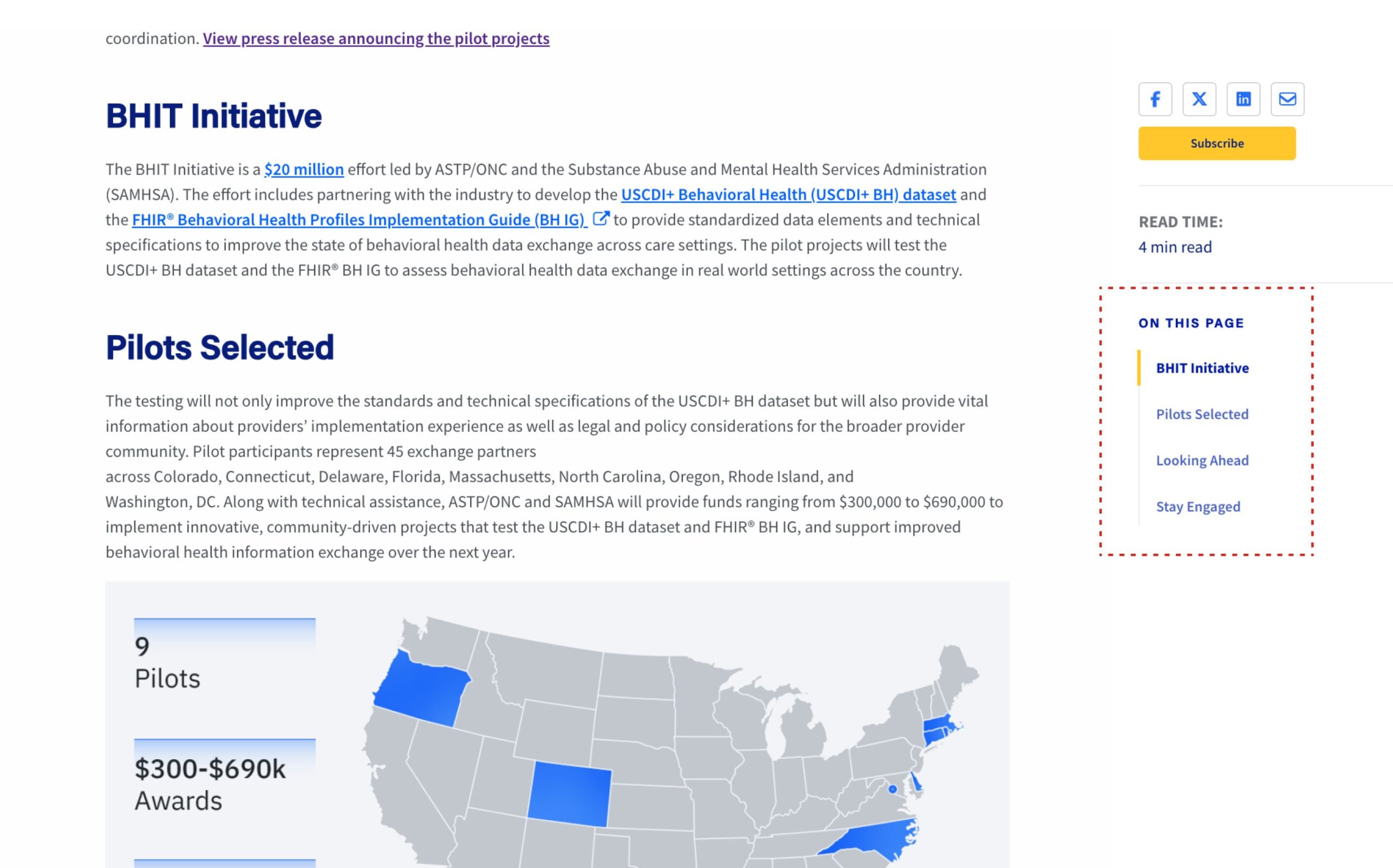
The existing “On this page” component was developed to auto-populate with the H2 headings on a page. But how about a PDF with a lot of H2 and H3 headings and being able to show that in a table of contents? My first idea was to use the “On this page” block that was already in-use throughout the ONC site but adding the ability to show H3 headings nested beneath H2s:
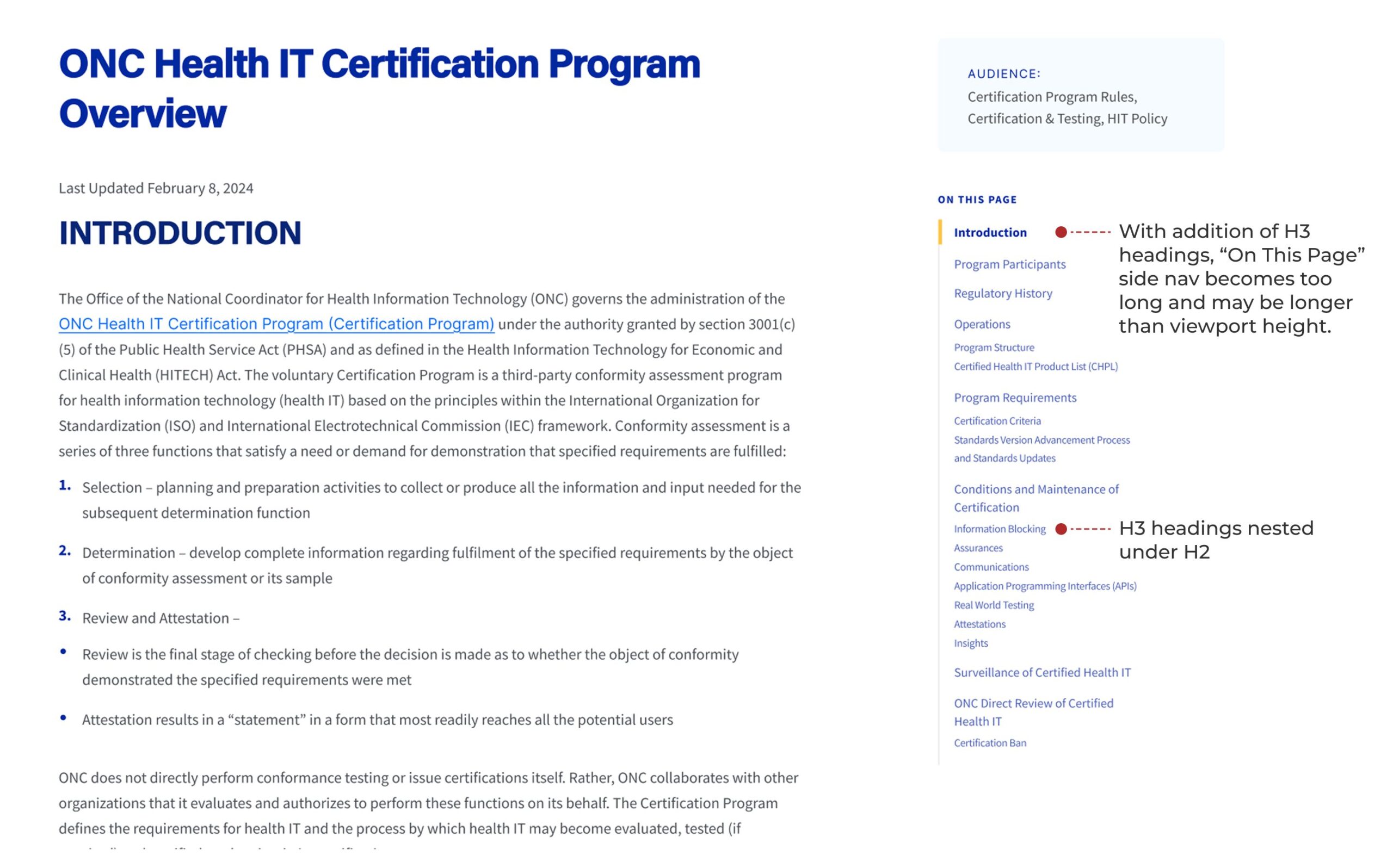
The idea above proved to not be ideal because with long PDFs, the “On this page” side nav would become too long and be taller than a user’s viewport. The second idea was to add a table of contents inside of an accordion that was the width of the text container and it would stick and follow the user down the page shown below:
Mobile Friendly
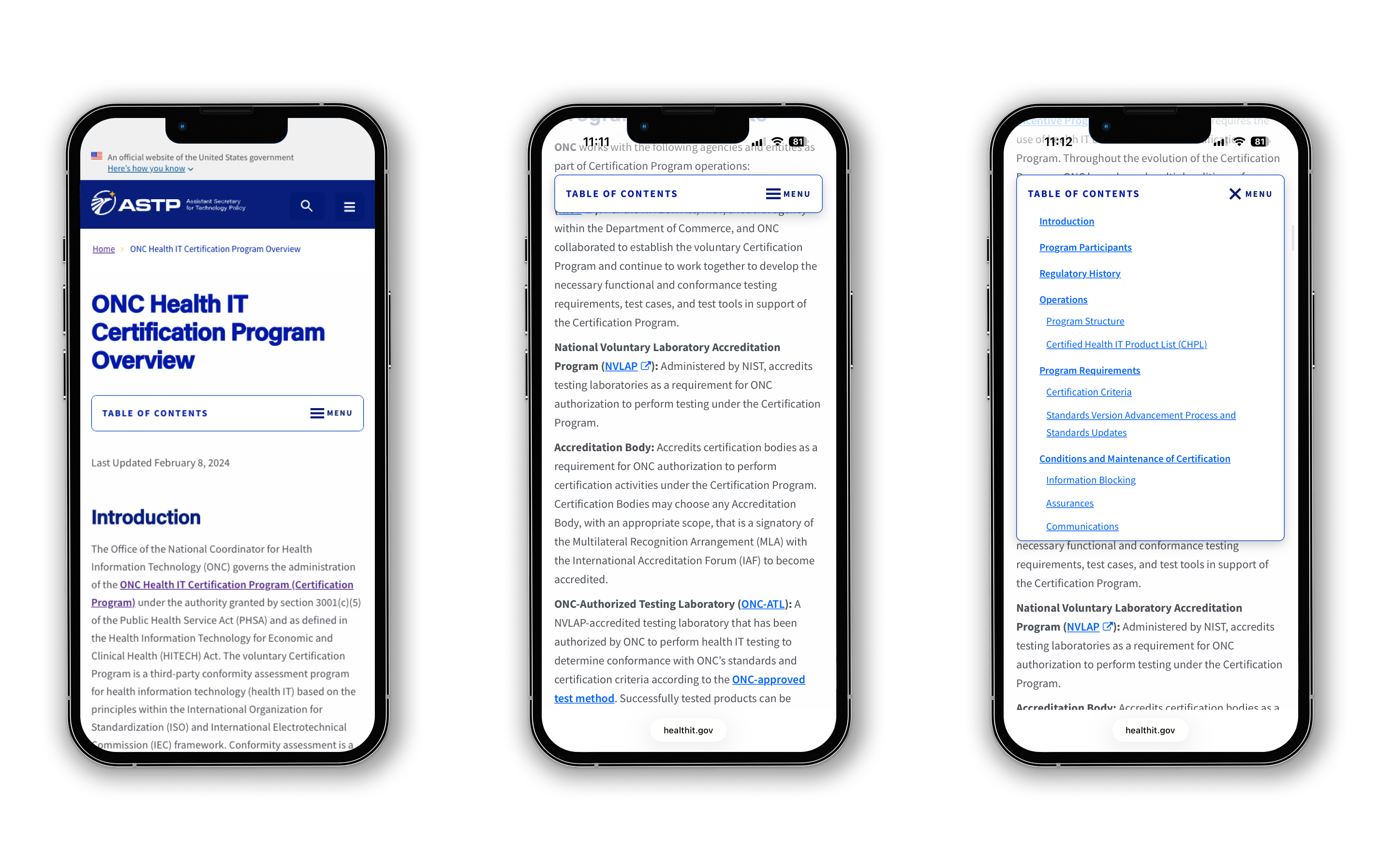
Designed to work on Smaller Screens
The table of contents was also designed with mobile users in mind. By placing it within an accordion, users can easily expand and collapse the navigation as needed—maintaining access to structure without sacrificing valuable screen space.
In Conclusion
A Scalable, Accessible Solution
The final solution streamlined both content management and user experience. By reducing reliance on PDFs, the team minimized the need for repeated accessibility checks while making content easier to update and maintain.
At the same time, the new table of contents component improved navigation across long-form pages, helping users quickly find and engage with relevant information. The result was a more modern, scalable approach to publishing accessible content. Click here to view this component live on the ONC site.